


Frequently Asked Question
Learn how to use our plugins with step-by-step guides and practical examples
Content
To add a new tab to the widget, click the widget on the page, go to the Content tab, and click the Add Item button.
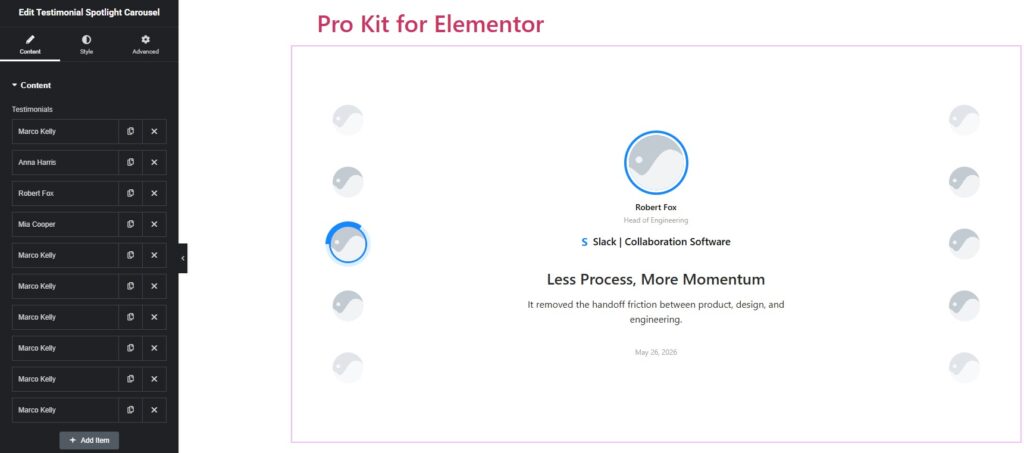
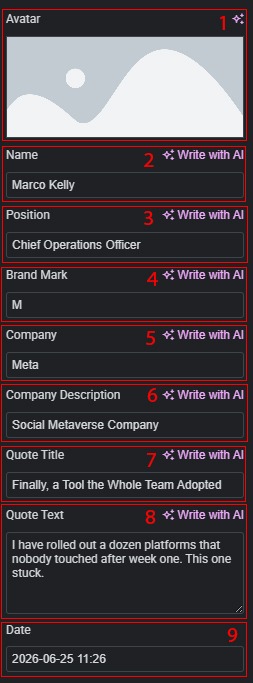
For each testimonial item you can configure:
- Avatar — upload or select a photo of the person.
- Name — full name of the person (e.g. “Marco Kelly”).
- Position — job title or role (e.g. “Chief Operations Officer”).
- Brand Mark — a short letter or symbol displayed inside the company badge (e.g. “M”).
- Company — company name (e.g. “Meta”).
- Company Description — a brief description of the company (e.g. “Social Metaverse Company”).
- Quote Title — a short headline for the testimonial (e.g. “Finally, a Tool the Whole Team Adopted”).
- Quote Text — the full testimonial text.
- Date — the date the testimonial was given (date picker, no time).
 Testimonial Spotlight Carousel