


Frequently Asked Question
Learn how to use our plugins with step-by-step guides and practical examples
Install Plugin using FTP
- Upload the elementor or elementor-pro folder to the /wp-content/plugins/ directory via FTP.
- In your WordPress dashboard, go to Plugins and activate Elementor.
- Upload the testimonials-carousel-elementor folder to the /wp-content/plugins/ directory via FTP.
- In your WordPress dashboard, go to Plugins and activate Testimonial Carousel for Elementor.
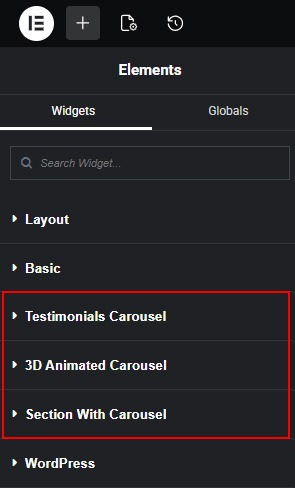
- After activating the plugins, the Testimonials Carousel, 3D Animated Carousel, and Section with Carousel widgets will appear in the Elementor → Widgets panel.

 Install Plugin by Search