


Frequently Asked Question
Learn how to use our plugins with step-by-step guides and practical examples
Translated Entities
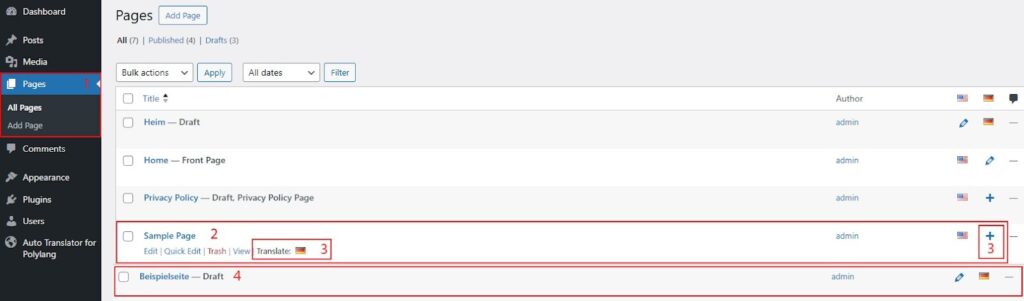
To translate a page:
- Go to Pages in the WordPress admin panel.
- Find the page you want to translate and hover over it.
- Click the language flag or the plus (+) icon for the target language.
- After translation, the translated page will appear in the selected language with the Draft status, allowing you to review and edit the translated content before publishing.
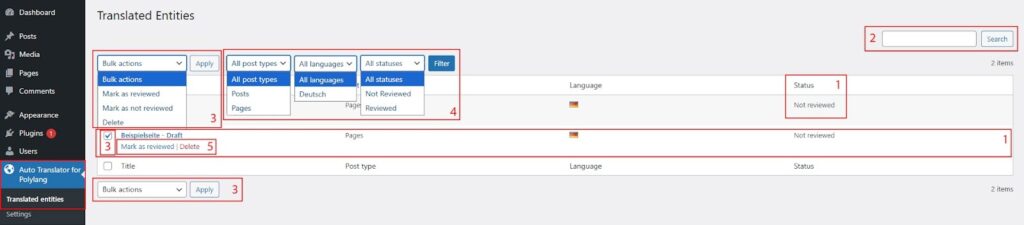
On the Translated Entities page, you can:
- View all translated pages and their current status.
- Search through translated pages.
- Select one or multiple pages and apply available bulk actions.
- Filter translated pages by post type, language, and status.
- Delete translated pages or change their status.
 Settings