


Frequently Asked Question
Learn how to use our plugins with step-by-step guides and practical examples
Settings
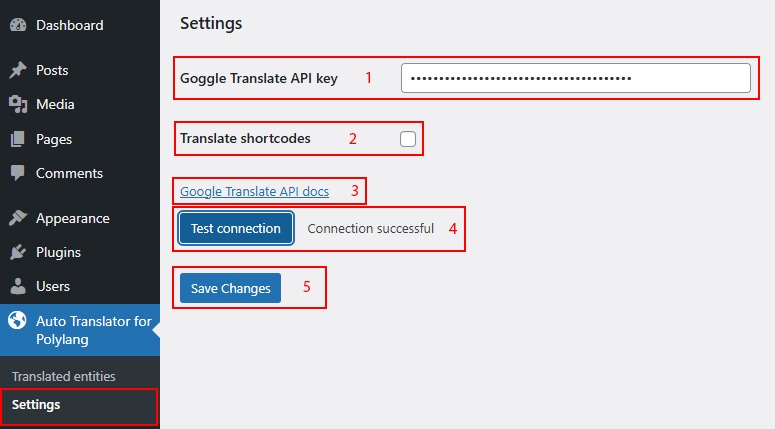
To activate the Auto Translator for Polylang functionality for translating pages, you need to create an API Key. You can follow the link Google Translate API docs and set up your own API Key.
After creating your own API Key, you need to:
- Paste the API Key into the field.
- Enable shortcode translation if necessary.
- You can view the documentation for creating your own API Key.
- After pasting your own API Key, you can check its validity.
- If the key is valid, click Save Changes.
 Install Plugin using FTP